Background
During my internship at Cineplex Digital Media, we had a simple but ambitious question: Can we automate our current media label tagging system? At that point, the team was doing manual content tagging on the advertisements that we received, in order to try and understand relationships between engagement and ad content.
However, manual tagging is slow and boring. Hence, the goal of this project was to build a pipeline that can perform the same task automatically.
Architecture
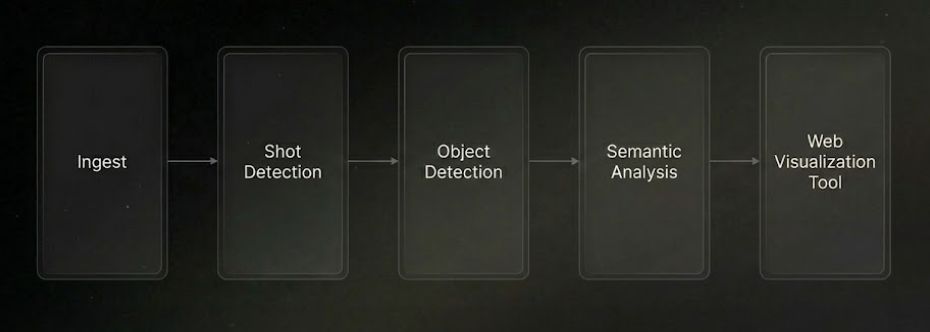
The system architecture is composed of five key components: Shot Detection, Object Detection, Semantic Analysis, Visual Features, and the Web Visualization Tool.
Shot Detection
The first challenge was to detect scene cuts. Surprisingly, this turned out to be quite a tricky task. Early experiments with approaches like measuring luminance changes sometimes would not detect a scene change if the transition was too smooth. PySceneDetect performed better, but still could not handle soft transitions. Ultimately, throwing the problem at an LLM actually yielded the best results.
Object Detection
The next challenge was to detect objects in the media. When I was first coming up with solutions, it seemed that each had its own strengths and weaknesses. We wanted to use custom text prompts for detecting objects, so this meant that we needed to either train a custom model, which would require a large amount of training data and manual annotation for each custom label set, or use a zero-shot object detection model, which would be very slow if done frame by frame on a video.
The solution actually ended up popping up in front of me during the process of development. Meta released their SAM 3 model which performs zero shot object detection, so we could detect objects using our custom text prompts. And since SAM 3 is a segmentation model, it can propagate object detections throughout a video in a reasonable amount of time!
Semantic Analysis & Visual Features
Lastly, I used Gemini to classify higher level attributes like camera shot and setting, and I used OpenCV to compute low-level visual features like color palette, brightness, contrast, and motion energy.
Web Visualization Tool
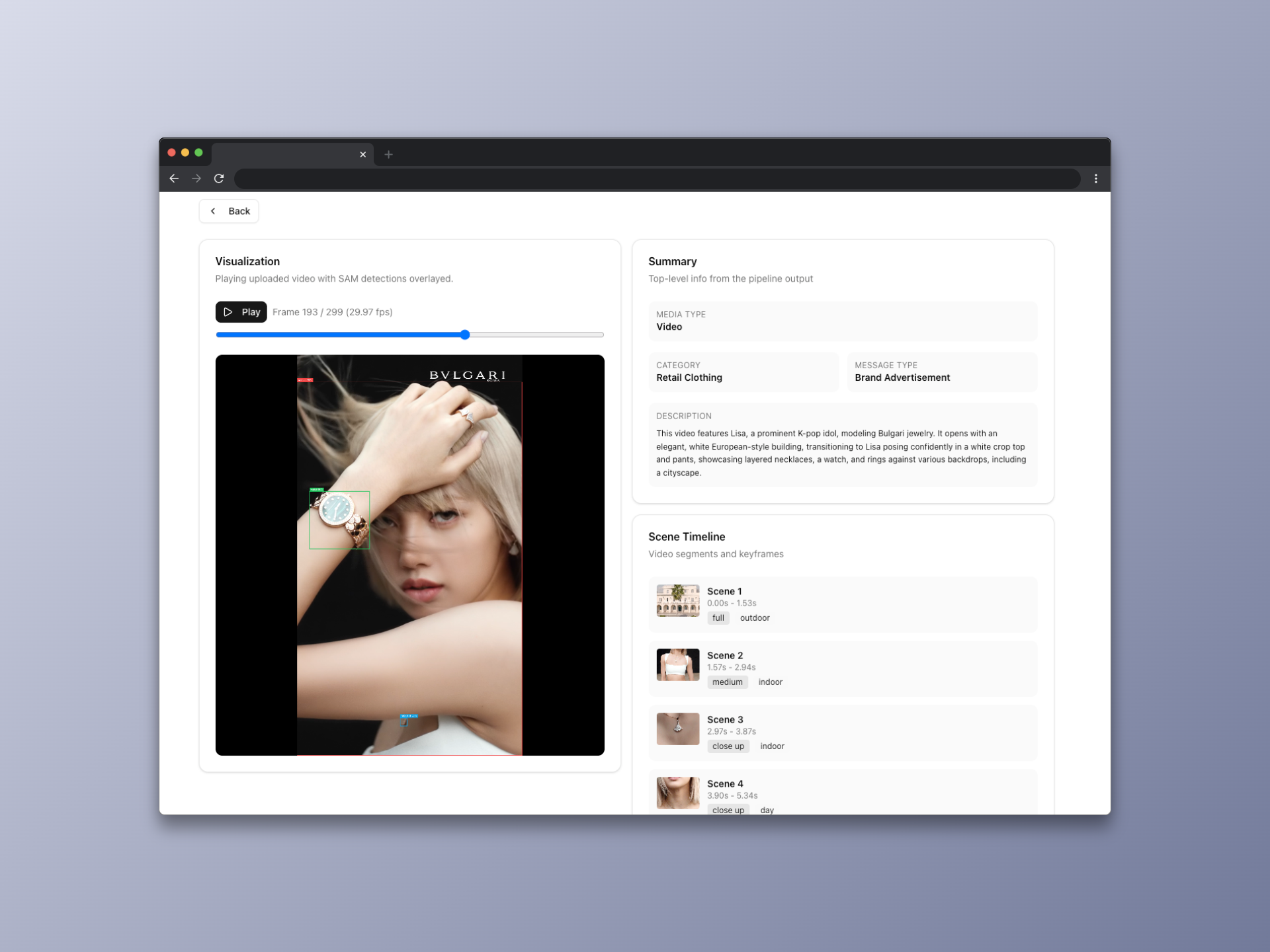
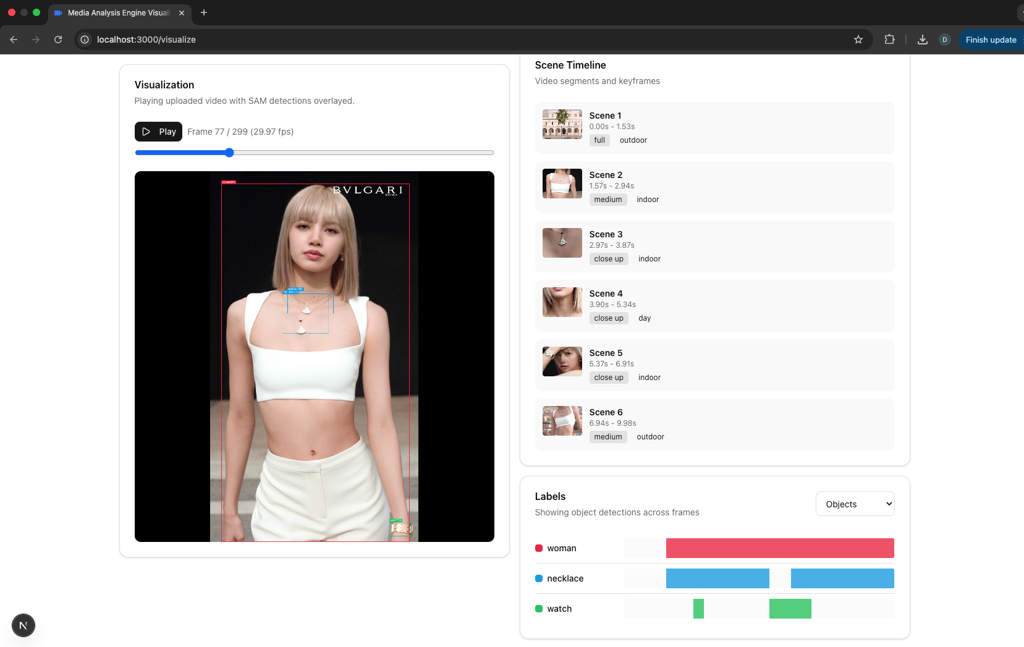
In order to make the data more accessible, I built a web visualization tool using Next.js and Tailwind CSS. The tool allows users to scrub through the video and explore the data in a more interactive way.
The CLI
Lastly, I built a CLI tool to make it easy to run the pipeline. The tool is built using argparse and allows users to specify the input video, output directory, and other parameters.
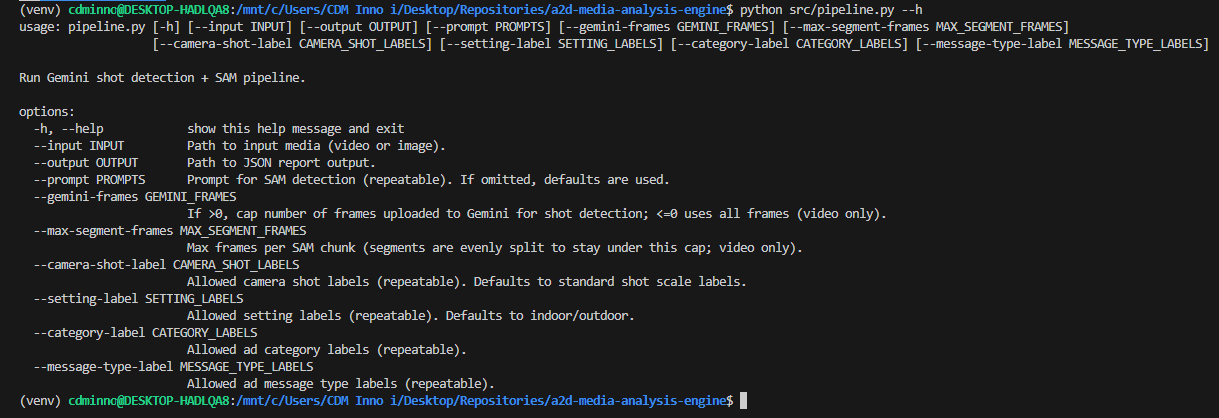
python src/pipeline.py --input assets/video.mp4 --output output/report.json

python src/pipeline.py \
  --input assets/video.mp4 \
  --prompt "red car" --prompt "driver" \
  --camera-shot-label "drone shot" \
  --setting-label "highway"
Results & Takeaways
This project was a lot of fun to work on and I learned a lot about applied AI and the media industry. It was cool to brainstorm different solutions to try and tackle a problem affecting the team, and I am glad that the project ended up working well!